
题目
匹配题
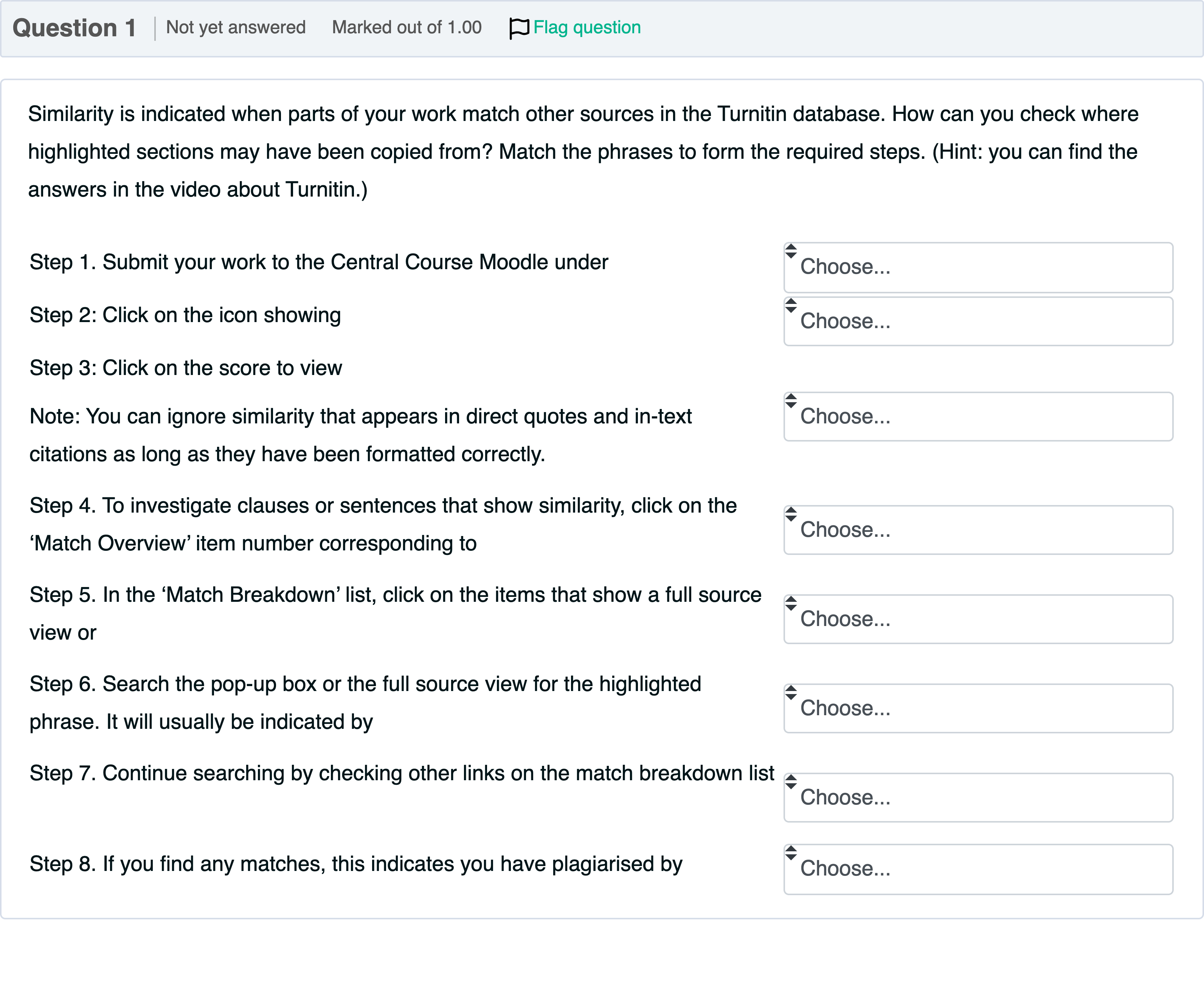
Similarity is indicated when parts of your work match other sources in the Turnitin database. How can you check where highlighted sections may have been copied from? Match the phrases to form the required steps. (Hint: you can find the answers in the video about Turnitin.) 1: Step 1. Submit your work to the Central Course Moodle under ____ 2: Step 2: Click on the icon showing ____ 3: Step 3: Click on the score to view Note: You can ignore similarity that appears in direct quotes and in-text citations as long as they have been formatted correctly. ____ 4: Step 4. To investigate clauses or sentences that show similarity, click on the ‘Match Overview’ item number corresponding to ____ 5: Step 5. In the ‘Match Breakdown’ list, click on the items that show a full source view or ____ 6: Step 6. Search the pop-up box or the full source view for the highlighted phrase. It will usually be indicated by ____ 7: Step 7. Continue searching by checking other links on the match breakdown list ____ 8: Step 8. If you find any matches, this indicates you have plagiarised by ____
选项
A.each highlighted section
B.the ‘Match Overview’ list
C.a bright font colour
D.copying someone else’s language
E.‘Turnitin Assignment Submissions’
F.your similarity percentage
G.until you find the original source
H.the link provided

查看解析
标准答案
Please login to view
思路分析
This question asks you to match the phrases to form the required steps for checking Turnitin similarity. I will evaluate each option in turn and then map them to the steps as provided.
Option: each highlighted section
- This phrase describes what you examine within the similarity results to identify specific sources for matched text. It is not a description of the first or second action, but rather something you do after you open the matches. It fits Step 5 or Step 7 where you investigate items in the match breakdown. It is not the initial trigger for opening Turnitin, so it should not be used for Step 1 or Step 2.
Option: the ‘Match Overview’ list
- This label refers to the overview of matches that you click to inspect specific matches. It corresponds to the action of exploring the set of matches, which aligns with the instruction in Step 4 to investigate clauses or sentences that s......Login to view full explanation登录即可查看完整答案
我们收录了全球超50000道考试原题与详细解析,现在登录,立即获得答案。
类似问题
Similarity is indicated when parts of your work match other sources in the Turnitin database. How can you check where highlighted sections may have been copied from? Match the phrases to form the required steps. (Hint: you can find the answers in the video about Turnitin.) 1: Step 1. Submit your work to the Central Course Moodle under ____ 2: Step 2: Click on the icon showing ____ 3: Step 3: Click on the score to view Note: You can ignore similarity that appears in direct quotes and in-text citations as long as they have been formatted correctly. ____ 4: Step 4. To investigate clauses or sentences that show similarity, click on the ‘Match Overview’ item number corresponding to ____ 5: Step 5. In the ‘Match Breakdown’ list, click on the items that show a full source view or ____ 6: Step 6. Search the pop-up box or the full source view for the highlighted phrase. It will usually be indicated by ____ 7: Step 7. Continue searching by checking other links on the match breakdown list ____ 8: Step 8. If you find any matches, this indicates you have plagiarised by ____
What type of software might be used to detect academic misconduct?
Which of the following are true about Turnitin?
Question 20Once you submit any assignment to Turn It In, the software will generate a Similarity Report. View the description of the similarity report here: Similarity Report Guide Links to an external site. "The __________________ is a percentage of the paper's matches to other sources; it is not an assessment of whether the paper includes plagiarized material. A similarity report is a tool for instructors and students to easily find matches or similar text within submitted work."
更多留学生实用工具
希望你的学习变得更简单
加入我们,立即解锁 海量真题 与 独家解析,让复习快人一步!