
Questions
Multiple fill-in-the-blank
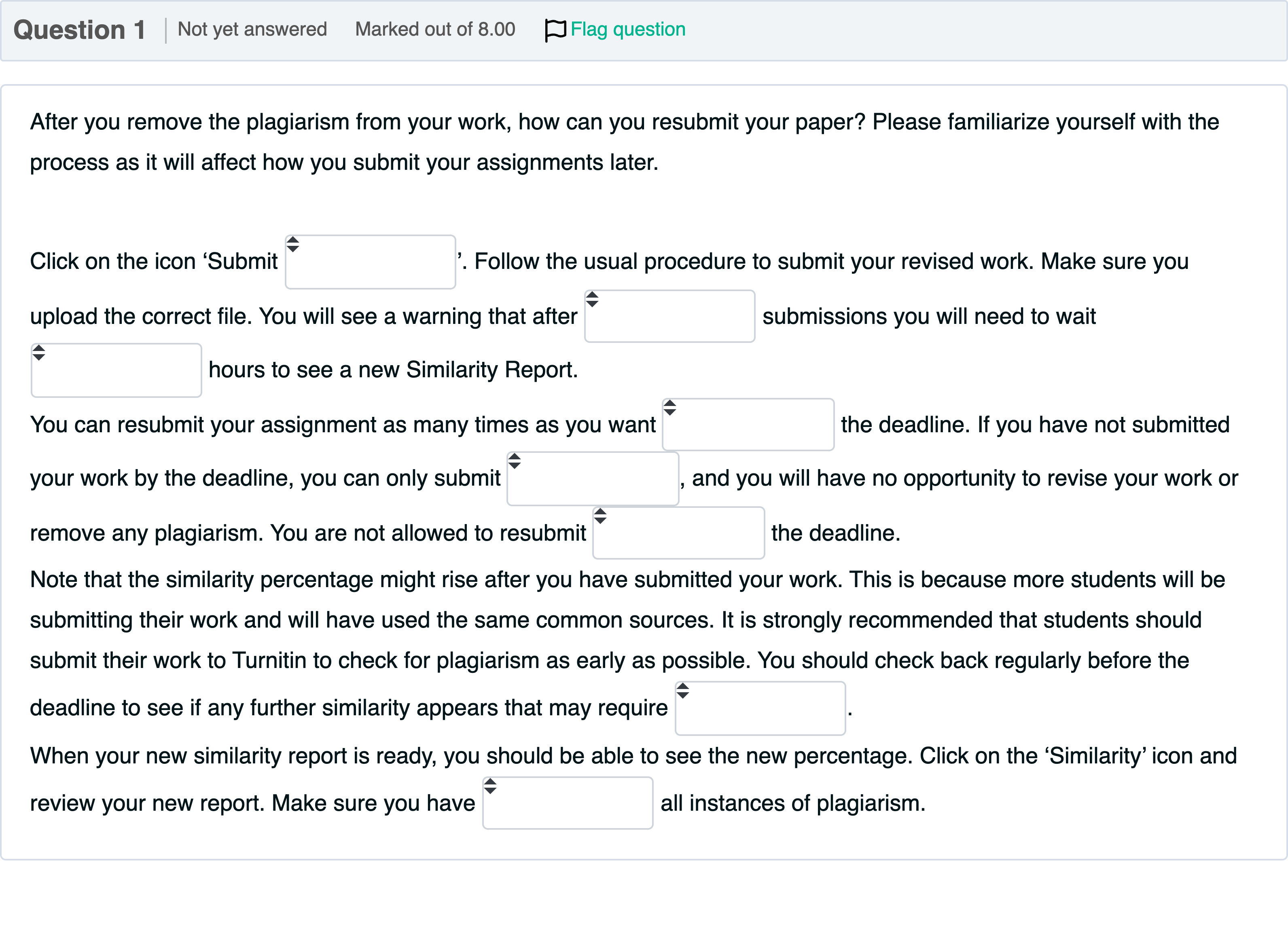
Question textAfter you remove the plagiarism from your work, how can you resubmit your paper? Please familiarize yourself with the process as it will affect how you submit your assignments later. Click on the icon ‘Submit Answer 1 Question 1[select: , before, 3, paper, after, once, 24, eliminated, action]’. Follow the usual procedure to submit your revised work. Make sure you upload the correct file. You will see a warning that after Answer 2 Question 1[select: , paper, once, before, 3, 24, after, action, eliminated] submissions you will need to wait Answer 3 Question 1[select: , once, eliminated, paper, 24, after, 3, before, action] hours to see a new Similarity Report.You can resubmit your assignment as many times as you want Answer 4 Question 1[select: , action, once, paper, after, before, eliminated, 24, 3] the deadline. If you have not submitted your work by the deadline, you can only submit Answer 5 Question 1[select: , once, paper, eliminated, action, 3, 24, before, after], and you will have no opportunity to revise your work or remove any plagiarism. You are not allowed to resubmit Answer 6 Question 1[select: , eliminated, before, 3, once, action, paper, 24, after] the deadline. Note that the similarity percentage might rise after you have submitted your work. This is because more students will be submitting their work and will have used the same common sources. It is strongly recommended that students should submit their work to Turnitin to check for plagiarism as early as possible. You should check back regularly before the deadline to see if any further similarity appears that may require Answer 7 Question 1[select: , once, action, 3, eliminated, before, paper, after, 24]. When your new similarity report is ready, you should be able to see the new percentage. Click on the ‘Similarity’ icon and review your new report. Make sure you have Answer 8 Question 1[select: , 3, eliminated, paper, after, 24, before, action, once] all instances of plagiarism.

View Explanation
Verified Answer
Please login to view
Step-by-Step Analysis
This is a fill-in-the-blanks type question asking you to complete a procedural paragraph about resubmitting a paper after removing plagiarism. The provided answer list gives the exact words that should fill each blank, in order.
Blank 1 corresponds to the phrase right after “Click on the icon ‘Submit …’”. The correct word to describe the document being submitted is paper, so Blank 1 = paper.
Blank 2 appears in the clause about the warning that follows a certain number of submissions. The standard process in many systems is that users must wait a fixed number of hours to see a new Similarity Report, comm......Login to view full explanationLog in for full answers
We've collected over 50,000 authentic exam questions and detailed explanations from around the globe. Log in now and get instant access to the answers!
Similar Questions
What does plagiarism mean in academic publications?
Charlie has been assigned a paraphrasing task in one of his classes. He puts the prompt into generative AI software (e.g. ChatGPT) and asks it to create a paraphrase. Charlie then copies that output and submits it to the instructor for marking. According to the Code of Behaviour on Academic Matters, is Charlie's behaviour acceptable or is this academic misconduct?
Which form of academic misconduct did Claire commit?
Identify the breach of responsible conduct of research (RCR) associated with each of the following definitions. Presenting and using another’s published or unpublished work, including theories, concepts, data, source material, methodologies or findings, including graphs and images, as one’s own, without appropriate referencing and, if required, without permission.
More Practical Tools for Students Powered by AI Study Helper
Making Your Study Simpler
Join us and instantly unlock extensive past papers & exclusive solutions to get a head start on your studies!