Still overwhelmed by exam stress? You've come to the right place!
We know exam season has you totally swamped. To support your studies, access Gold Membership for FREE until December 31, 2025! Normally £29.99/month. Just Log In to activate – no strings attached.
Let us help you ace your exams efficiently!

Questions
COMM_V 205 101 102 103 2025W1 In-class Exercise (ICE) 7
Single choice
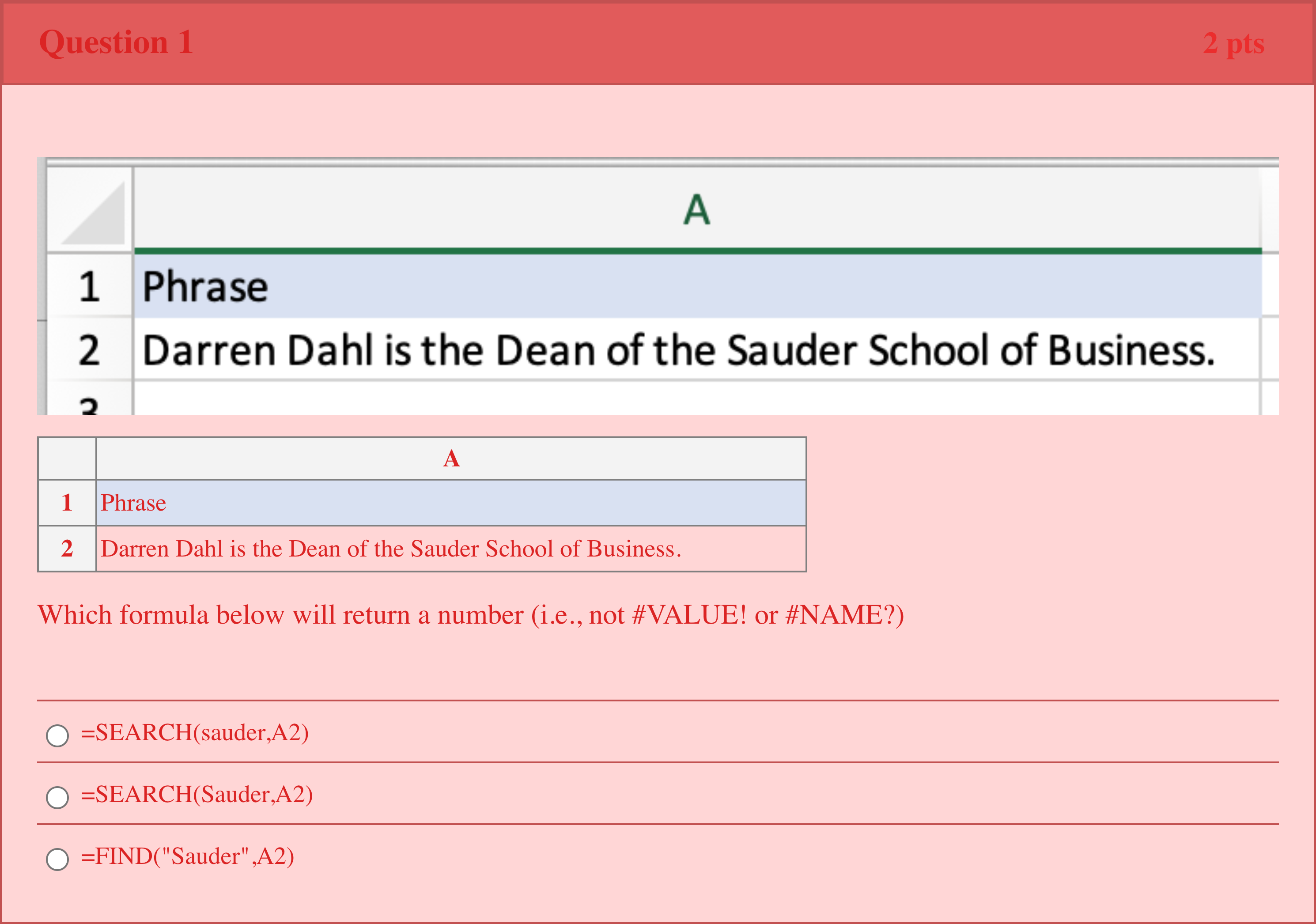
A 1 Phrase 2 Darren Dahl is the Dean of the Sauder School of Business. Which formula below will return a number (i.e., not #VALUE! or #NAME?)
Options
A.=SEARCH(sauder,A2)
B.=SEARCH(Sauder,A2)
C.=FIND("Sauder",A2)

View Explanation
Standard Answer
Please login to view
Approach Analysis
Let's break down what each formula does and how Excel evaluates the arguments.
Option 1: =SEARCH(sauder,A2)
- Here, sauder is written without quotes, so Excel treats it as either a named range or a variable name. If there is no defined named range or variable called sauder, this will produce a #NAME? error. If there happens to be a defined name sauder, it would search for that value within A2, which is not the intended search for the literal text 'Sauder'. In short, ......Login to view full explanationLog in for full answers
We've collected over 50,000 authentic exam questions and detailed explanations from around the globe. Log in now and get instant access to the answers!
Similar Questions
What is the difference between SUBSTITUTE and REPLACE?
Which of the following best describes what the =RAND() function in Excel returns?
Suppose you had the following two formulas in two different cells other than cell A1: =FIND("bee",A1) =SEARCH("bee",A1) Without knowing what is the content of cell A1, which of the following statements is/are TRUE? FOR THIS QUESTION ONLY, there may be MORE THAN ONE correct option. You MUST SELECT ALL correct options. Please note that this question asks you to indicate WHICH of the five options are correct.
SUMIFS and COUNTIFS can return logical outputs.
More Practical Tools for International Students
Making Your Study Simpler
To make preparation and study season easier for more international students, we've decided to open up Gold Membership for a limited-time free trial until December 31, 2025!